

Starting UI/UX design can feel overwhelming at first. There are endless tools, trends, and opinions online. But great design is not about making things look complicated — it is about solving problems clearly and beautifully.
If you are just getting started in UI/UX design, these tips will help you build a stronger foundation.
Focus on Users, Not Just Visuals
Beautiful interfaces mean nothing if users cannot navigate them easily.
Good UI/UX design should:
- Be easy to use
- Solve a real problem
- Guide users naturally
- Reduce confusion
Always ask yourself:
“How does this design help the user?”
Learn Design Principles First
Before chasing trends, understand the basics:
- Typography
- Color theory
- Spacing
- Hierarchy
- Contrast
- Alignment
Strong fundamentals make your designs look cleaner and more professional.
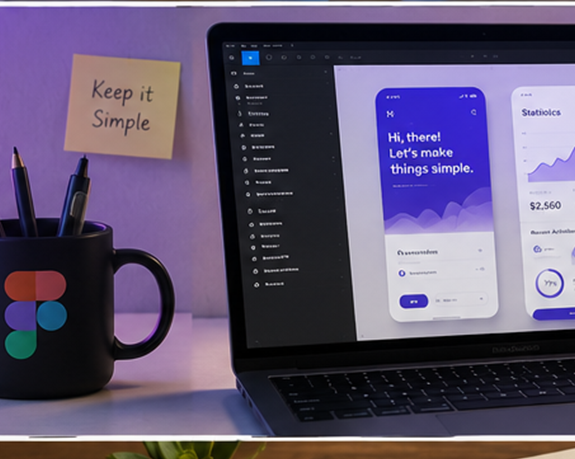
Keep Your Designs Simple
Beginners often try to add too many elements to impress people. Simplicity usually creates better experiences.
Avoid:
- Too many colors
- Excessive animations
- Cluttered layouts
- Tiny text
- Poor spacing
Clean designs are easier to understand and use.
Study Existing Products
One of the fastest ways to improve is by observing great products.
Study apps and websites you already use:
- Why does the layout work?
- Why are buttons placed there?
- How is spacing used?
- What makes the experience smooth?
Learn from real-world examples.
Practice Daily
Design improves through repetition.
Try:
- Redesign challenges
- Mobile app concepts
- Dashboard interfaces
- Landing pages
- Portfolio websites
The more you practice, the better your eye for design becomes.
Learn Figma
For beginners, Figma is one of the best UI/UX design tools to learn.
It allows you to:
- Create interfaces
- Build prototypes
- Collaborate with teams
- Design responsive layouts
Mastering Figma gives you a strong advantage.
Understand UX, Not Just UI
UI is how things look. UX is how things work.
Good UX includes:
- Easy navigation
- Clear user flow
- Accessibility
- Fast interactions
- Logical structure
Design is not decoration. It is communication.
Build a Portfolio Early
Do not wait until you become “perfect” before sharing your work.
Your portfolio can include:
- Practice projects
- Redesign concepts
- Case studies
- Passion projects
Employers and clients want to see your thinking process, not just visuals.
Accept Feedback
Feedback is part of becoming a better designer.
Do not take criticism personally. Use it to improve your:
- Layouts
- User flow
- Typography
- Decision making
Growth happens faster when you stay open to learning.
Final Thoughts
UI/UX design is a journey of continuous learning. Stay curious, keep practicing, and focus on solving problems for users.
You do not need to know everything today. Start small, stay consistent, and your skills will improve over time.